Accounting & Financial Management

Feature 4

Accounting & Financial Management

Professional double-entry accounting with automatic journal entries and 9 financial reports.

What is it?

A professional double-entry accounting system that automatically generates journal entries from your business transactions. Full chart of accounts, 9 financial reports, multi-currency support, and complete audit trails.

app.golify.com/chart-of-accounts
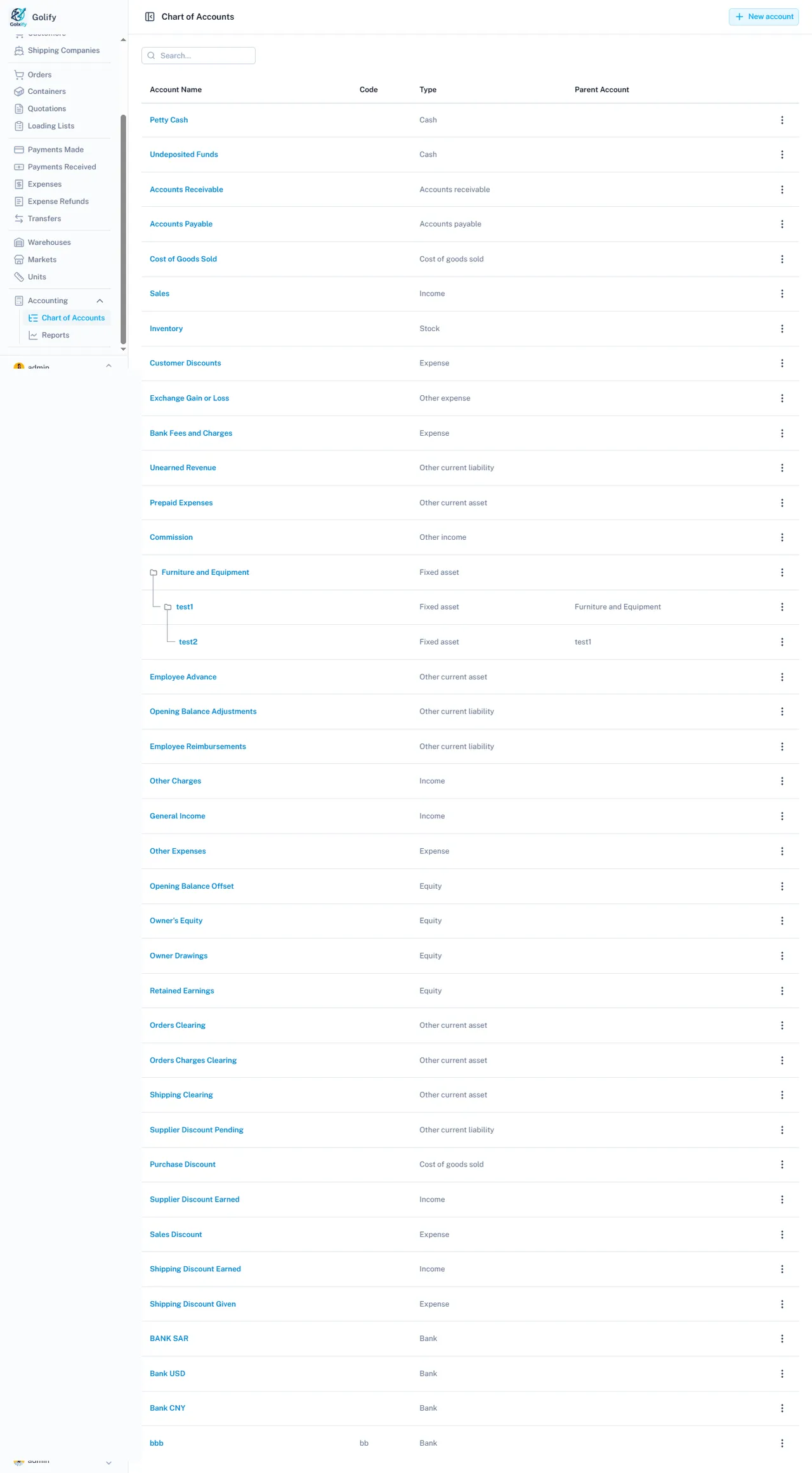
Chart of accounts in Golify

Key Capabilities

Automatic Journal Entries

  • Rules-based engine creates journal entries automatically
  • Triggered by: orders, shipments, payments, expenses, transfers
  • No manual accounting input needed for daily operations

Chart of Accounts

  • Pre-configured: Assets, Liabilities, Income, Expenses, Equity
  • System accounts: Accounts Receivable, Accounts Payable, COGS, Sales
  • Bank and cash accounts with transaction tracking
  • Customizable expense categories

Multi-Currency Accounting

  • Base currency with unlimited foreign currency transactions
  • Automatic exchange gain/loss calculation
  • Foreign currency amounts tracked alongside base currency
  • Exchange rate per transaction for accurate conversion

9 Financial Reports

  • Balance Sheet: Assets, Liabilities, Equity snapshot
  • Profit and Loss: Revenue vs. Expenses for any period
  • Trial Balance, General Ledger, Cash Flow Statement
  • Customer and Vendor Balance Summaries
  • Contact Ledger: Full financial history per contact

Opening Balances

  • Set up initial balances for customers (debtor/creditor)
  • Set up initial balances for suppliers and shipping companies
  • Automatic journal entries for opening balances
  • Write-off capability for uncollectable balances

Business Value

Eliminates separate accounting software. Every business transaction automatically flows into proper accounting entries. Get real-time financial reports without manual data entry or reconciliation.

Ready to streamline your operations?

Get started with Golify and bring professional accounting into your workflow.

Get Started