
Banking & Payments

Feature 7

Banking & Payments

Complete payment management with multi-currency support and automatic accounting integration.

What is it?

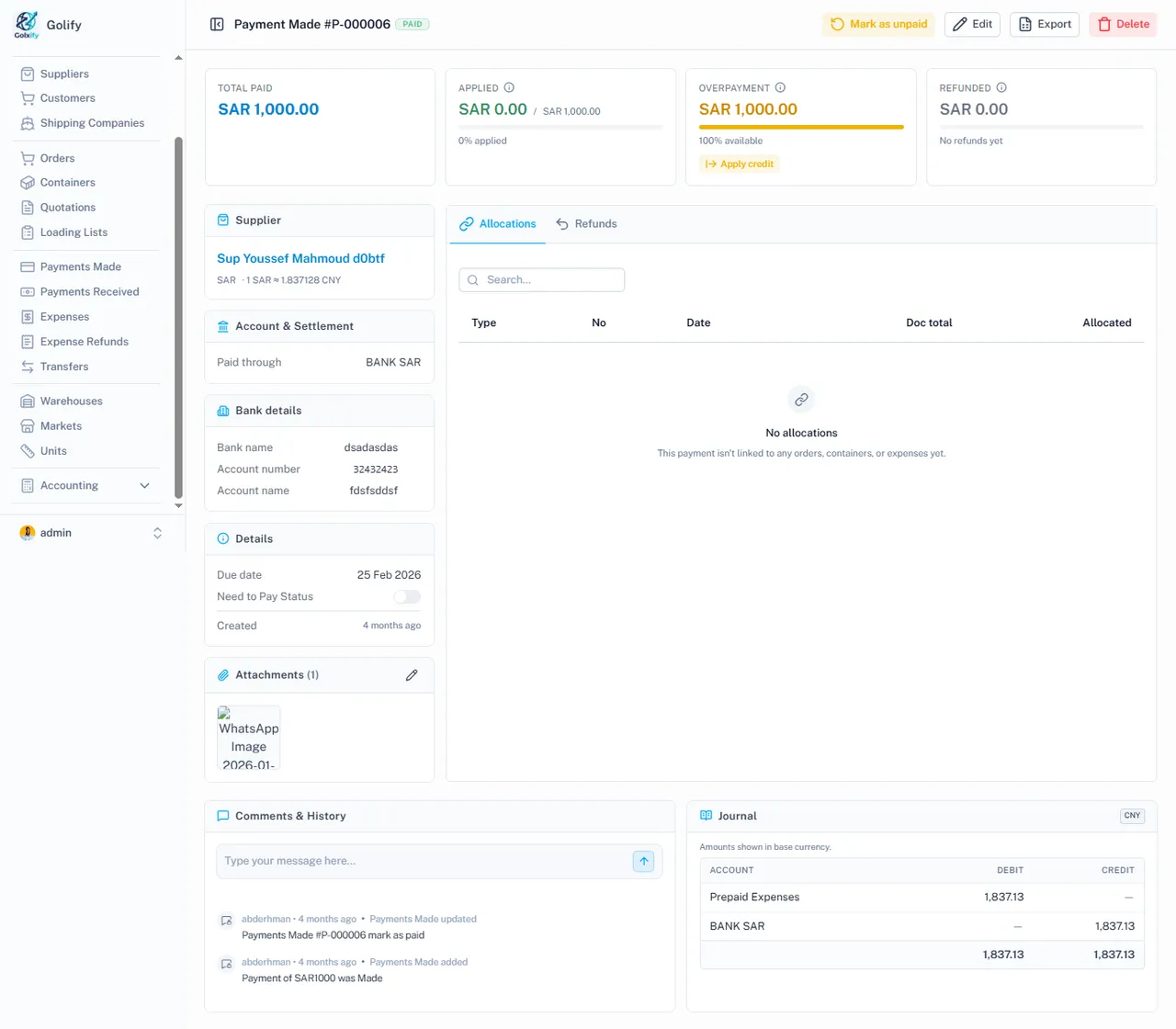
Complete payment management for both incoming and outgoing money. Track bank accounts, process multi-currency payments, allocate funds to orders and containers, and handle refunds with automatic accounting integration.

app.golify.com/payments-made
Payment made in Golify with allocations and journal entries

Key Capabilities

Bank Account Management

  • Set up Cash, Bank, Credit Card, and Clearing accounts
  • Each account can have its own currency
  • Real-time balance calculated from journal entries
  • Transaction history per account with date filtering
  • Running balance view for reconciliation

Payments Made (to Suppliers)

  • Record payments to suppliers linked to specific orders
  • Choose payment account (which bank/cash pays)
  • Support for 4 payment types: Deposit, Cash, Payment, Cut
  • Mark payments as urgent for priority processing
  • Refund support for overpayments

Payments Received (from Customers)

  • Record customer payments linked to containers
  • Allocate payments to specific container charges
  • Handle overpayments as unused credits
  • Process refunds when needed
  • Multi-currency deposits with exchange rate tracking

Multi-Currency Payments

  • Three-currency support per transaction
  • Contact currency (e.g., supplier in CNY)
  • Payment currency (e.g., pay in USD)
  • Automatic exchange rate conversion
  • Exchange gain/loss tracked in accounting

Reconciliation

  • View all transactions per bank account
  • Filter by date range for period reconciliation
  • Every payment linked to its journal entry
  • Track source of each transaction (order, container, expense)

Business Value

Never lose track of a payment. Every dollar paid or received is linked to its order, container, or expense with automatic accounting entries. Multi-currency support means no manual conversion headaches.

Ready to streamline your operations?

Get Started